On this page
Workflow automation is the use of software to run the steps of a business process by predefined rules, so work moves from start to finish with little or no manual effort. A trigger starts it, such as a form submission or a signed contract. The software then routes data, assigns approvals, sends messages, and updates records without anyone copying and pasting between tools.
You will also see it called business workflow automation, process automation, or simply an automation workflow. The labels overlap, and this article sorts them out. You will learn why automating workflows pays off, how to do it in an order that avoids the usual mistakes, and how a workflow automation system works inside. You will also see practical examples and learn which kind of tool fits which situation.
Arrowbin is a software studio that builds custom internal tools and AI automations for startups and growing companies.
Why workflow automation matters for your business
Workflow automation matters because most delays happen between tasks, not during them. Work waits in an inbox, sits behind an approval, or gets retyped into a second system. Automation removes the waiting and the retyping, so your people spend their hours on decisions that need judgment.
Where manual workflows lose time and money
Take a closed deal. The rep marks it won in the CRM, emails finance, finance builds an invoice, and someone else copies the customer's details into the onboarding tool. Every handoff is a place where work sits idle, and every retyped field is a place where a typo can slip in.
The cost stays hidden because nobody logs it. Ten minutes of chasing here, a corrected invoice there. It compounds with volume. If orders double, the manual hours double too, unless you hire. That is why manual workflows break first when a company starts to grow.
What you gain when the workflow runs itself
The gains fall into six areas, and each can be measured. Pick the one or two that hurt most before you build anything, so you can prove the result later.
| Benefit | What changes | How to measure it |
|---|---|---|
| Speed | Tasks start the moment a trigger fires, at any hour | Cycle time from request to completion |
| Accuracy | Data is entered once and passed along | Error and rework rate |
| Consistency | The same rules apply to every case | Share of cases that follow the standard path |
| Visibility | Every step is logged and searchable | Number of "where is this?" questions |
| Scalability | Volume grows without matching headcount | Staff hours per 100 cases |
| Cost | Less manual labor and fewer corrections | Cost per case |
Notice that none of this requires artificial intelligence. Plain if-then rules deliver most of the value. Any team that works in software can benefit, from finance and sales to support and HR.
Automation pays off where work waits, not where work is hard.
How to automate a workflow step by step
Start with one repetitive workflow, map it from trigger to finish, remove the steps that should not exist, and then automate the rule-based steps. Test with real cases before you trust it. Resist automating everything at once, because a small win teaches you more than a big plan.
Choose a workflow worth automating
A good first candidate passes most of these checks:
- It happens often or on a fixed schedule.
- It moves information between two or more tools.
- Its rules are clear enough that a new hire could learn them in a day.
- You can name what it costs today in hours or errors.
Rare tasks, processes that change every month, and work that needs heavy judgment make poor first targets. Frequent, boring, rule-based work is where automation earns its keep fastest.
Map the current workflow from trigger to finish
Write the workflow down as it actually runs, not as the handbook says it runs. Include the person or system behind each step and the time it takes. Gaps and workarounds show up quickly once the steps are on one page. You can copy this template into a document and fill it in:
Workflow name:
Trigger (what starts it):
Owner (who fixes it when it breaks):

Steps:
1. [Step] | [Who or what does it] | [Tool] | [Minutes] | [Manual? Y/N]
2. ...

Decisions (if X, then Y):
Exceptions (cases that need a human):
Done when:
Time per case today:
Target time per case:
Circle every step where someone copies data, waits for a reply, or checks something a rule could check. Those are your automation candidates. Cross out any step that adds no value, because automating it would only make waste faster.
Build, test, and launch in small steps
Work through the build in this order:
- Delete or merge the steps that add no value.
- Write each decision as an if-then rule, including what happens when the rule does not match.
- Choose a tool (the last section compares your options).
- Build the trigger and the first action, test them, then add one step at a time.
- Run the automation beside the manual process on a batch of real cases and compare results.
- Launch, name an owner, and review your chosen metrics after the first month.
Most failures come from the same few mistakes. Teams automate a broken process, skip an exception path, leave no owner, or forget to log what the automation did. Keep a human review point for any decision that involves money, legal exposure, or an unhappy customer.
Fix the process first, then automate it, because software only makes a bad process faster.
How a workflow automation system works
A workflow automation system watches for a trigger, checks conditions, and performs actions, logging each step so you can see what happened. The pieces are simple. What confuses people is the vocabulary around them and the different ways the system can make decisions.
Triggers, conditions, and actions
Every automation boils down to "when this happens, do that." The trigger is the event that starts it. Conditions are the rules that decide the path. Actions are what the software then does, such as creating a record, sending a message, or requesting an approval.
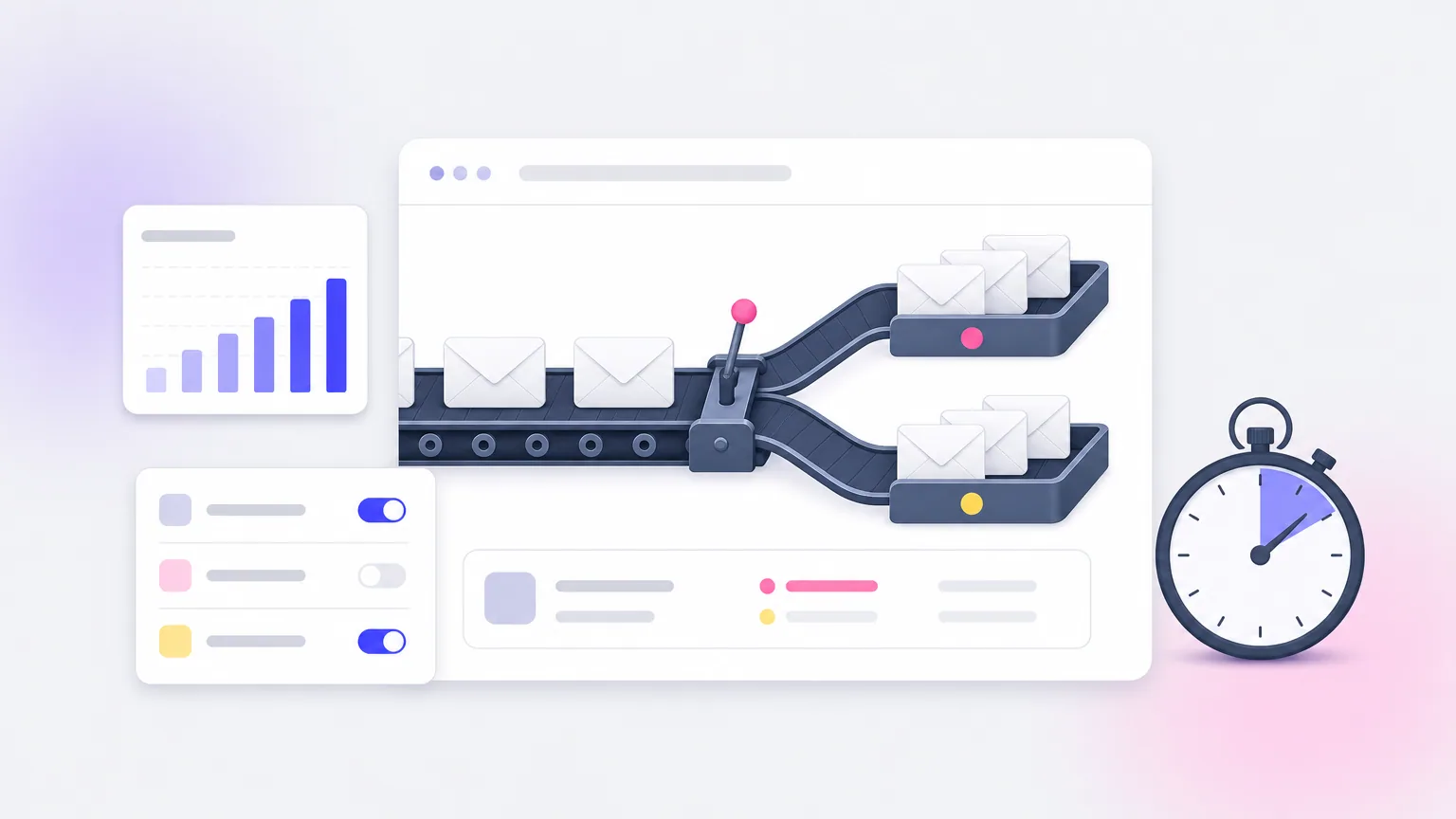
A new support request arrives (trigger). If the message mentions a refund, it goes to the billing queue, otherwise to general support (condition). The system tags it, sends an acknowledgement, and starts a response timer (actions). A logging layer records all of it, which is what makes the system auditable.
Workflow, process, and automation: how the terms differ
A process is what must be achieved, such as billing a client. A workflow is the sequence of steps, people, and tools that carries it out. Automation is the software that executes those steps. An automation workflow is the finished, runnable sequence. Workflow automation is the practice of building it.
Process automation usually describes a wider scope, an end-to-end process that may span many workflows. When one team chains several automations into one flow, that is often called orchestration. In everyday use the terms are interchangeable, so judge a tool by what it does, not by which word it uses.
Rule-based, RPA, and AI-assisted automation
| Type | How it decides | Best for |
|---|---|---|
| Rule-based | Fixed if-then logic | Routing, notifications, approvals, data syncing |
| Robotic process automation (RPA) | Bots repeat clicks and keystrokes in an app | Legacy software with no integration option |
| AI-assisted | A language model reads or classifies unstructured input | Emails, documents, free-text requests |
Most workflows need only the first row. Add AI where the input is messy, such as an invoice in a PDF, and keep the surrounding rules deterministic so you can predict the outcome.
Use rules wherever you can and AI only where the input is too messy for rules.
Business workflow automation examples that work
The best examples share one shape: a clear trigger, a few rule-based steps, and a human check only for exceptions. Almost every department has one.
Examples by department
| Team | Trigger | Automated steps |
|---|---|---|
| Sales | A lead submits a form | Score the lead, create the CRM record, assign an owner, send an intro email |
| Finance | An invoice arrives by email | Extract the data, match it to the purchase order, route to the approver, post to accounting |
| HR | An offer is accepted | Create accounts, send documents for signature, schedule orientation, notify IT |
| Support | A ticket is created | Classify topic and urgency, route to a queue, send an acknowledgement, escalate if unanswered |
| Marketing | Someone joins a list | Tag by interest, send a welcome sequence, sync to the CRM |
| E-commerce | An order is placed | Check fraud signals, confirm with the customer when needed, update stock, send tracking |
| Engineering | A pull request opens | Assign a reviewer by expertise, run tests, send reminders for pending reviews |
If your business is not on this list, ask where a request enters your company and where it ends up as a record. The route between those two points is usually your best candidate.
A worked example: invoice approval
Suppose your finance team handles 200 invoices a month. Each takes about 12 minutes by hand: keying the data, matching the purchase order, emailing the approver, and chasing the reply. That is 2,400 minutes, or 40 hours a month.
Now automate it. Software extracts the fields and matches the order. Assume 80% of invoices (160) match cleanly and need a one-minute glance, which is 160 minutes. The other 40 are exceptions that still take 12 minutes each, which is 480 minutes. The new total is 640 minutes, about 10.7 hours, so you save roughly 29 hours a month. These are illustrative assumptions, so replace them with your own numbers from the mapping template.
Automate the 80% of cases that follow the rules and keep your people for the 20% that do not.
Workflow automation tools and when to build custom
Workflow automation tools fall into four groups: automation built into apps you already use, connector platforms that link many apps, enterprise suites, and custom-built systems. Which one fits depends on how many systems the workflow touches and how unique your rules are.
Four kinds of workflow automation software
| Kind | Examples | Best when |
|---|---|---|
| Built into an app | Jira automation rules, CRM workflow builders | The whole workflow lives inside one product |
| Connector platforms | Zapier, Microsoft Power Automate, n8n (self-hostable) | The workflow spans several SaaS apps and you want no-code or low-code |
| Enterprise suites | IBM Cloud Pak for Business Automation, MuleSoft | A large organization needs governance and heavy integration |
| Custom-built | A system your development team writes | Your logic is unique, your data is sensitive, or per-seat fees add up |
Is Jira a workflow automation tool? Partly. Jira includes built-in automation for work-tracking workflows, such as creating linked tickets or assigning reviewers. It is built around issue tracking, so it is not a general tool for every business process.
Features to check before you commit
Check these before you pick a platform:
- Integrations with the apps you already run.
- Error handling and retry behavior, so one failed step does not silently stop everything.
- Logs and permissions, so you can audit who or what changed a record.
- Pricing model, whether per task, per user, or flat, at your expected volume.
- Whether you can export your workflows if you leave.
When custom workflow automation pays off
Custom makes sense when off-the-shelf tools bend your process out of shape, when workflows cross sensitive data, or when per-seat licenses keep growing. Arrowbin builds these systems through its Custom Software Development service, which covers workflow automation systems, internal tools, and API integrations. Pricing runs from about $8,000 for a focused tool to $75,000+ for a full platform, depending on scope, the integrations involved, and how complex the logic gets. A usable first version typically takes 6 to 12 weeks, and there are no per-seat license fees.

For the AI-assisted kind, the AI Automation service typically starts around $10,000 to $15,000 including a year of running costs. That covers a focused first automation such as invoice processing or support triage, with a prototype in 2 to 3 weeks and production in another 3 to 6 weeks. Larger agent systems cost more.
Buy a tool when the workflow is common, and build when the workflow is the thing that sets you apart.
Start with one workflow
Workflow automation is software running a repeatable sequence of steps by rules, so work moves without waiting on people to copy, chase, or remind. It pays off where work sits idle, it works best when you fix the process before you automate it, and it needs only rules for most of its value. Start with one frequent, rule-based workflow, map it, automate the steps that need no judgment, and measure the result.
If your workflow spans several systems, handles sensitive data, or does not fit a ready-made tool, a custom build can be the cleaner route. You can book a free 30-minute call with Arrowbin to talk through your first automation. A senior engineer will give you a straight answer on scope, timeline, and cost.