On this page
The best automation workflow tools are the ones that match your team's technical skill and meter usage in a way you can predict. Zapier suits non-technical teams that want the most app connections. n8n suits developers who want self-hosting and code. Make suits budget-minded builders who like visual logic. Gumloop and Lindy suit teams that would rather describe an AI agent in plain English. Workato suits enterprise IT, and a custom build suits teams whose process no platform fits.
The trouble is that every vendor now calls itself AI-powered, and the pricing pages count different things: tasks, credits, executions. A plan that looks cheap at 100 runs a month can look very different at 2,000. Teams often find this out in month three, after they have already rebuilt their processes inside the tool.
This guide gives seven picks the same treatment: what the tool does, who it suits and what it costs. After the list you get a comparison table, a worked pricing example and a short method for choosing. Arrowbin is a software studio that builds custom AI automation, so it appears first as the alternative to renting a platform. I also say plainly when you should skip it.
1. Arrowbin custom AI automation
Arrowbin builds custom AI automation around your process instead of renting you a platform. It is the right pick when your workflow is too specific, too sensitive or too high volume for a generic tool.
A platform rents you someone else's workflow engine, while a custom build gives you one shaped like your process.
What it does and where it falls short
Arrowbin designs and ships assistants, agents, document processing and LLM integrations that take repetitive work off your team. Typical jobs are data entry, invoice processing and support triage. It uses Anthropic Claude and OpenAI for most language tasks. When data must stay in-house, it uses open-source or private models instead.
- Strength: logic, integrations and admin screens built around your exact workflow
- Strength: you own the source code and infrastructure, with no per-seat license fees on the software
- Limit: it is slower to start than a platform
- Limit: the upfront cost is higher than a monthly subscription
Who it suits
Custom work fits teams that have hit the ceiling of rule-based tools. Think long multi-step logic, sensitive documents, or volumes where per-task pricing keeps climbing. A common case is invoice processing: the system reads each invoice, extracts the fields, matches them to a purchase order and routes exceptions to a person.
Skip it if you only need to connect two apps this week. One of the platforms below will get you there faster. If you are unsure, the free 30-minute call ends with a fixed, itemised estimate and no commitment.
Pricing
A focused first automation typically starts around $10,000 to $15,000, including a year of running costs. Larger agent systems cost more.
- Prototype: 2 to 3 weeks
- Production: another 3 to 6 weeks
- Typical build: about $14,000
2. Zapier
Zapier is the safest default when you want the widest app coverage and a builder that a non-technical person can learn in an afternoon. It is the best-known workflow automation software for connecting everyday business apps.
Zapier wins on reach, with 8,000+ integrations, rather than on depth.
What it does and where it falls short
Zapier links apps through Zaps: a trigger starts the flow and actions follow. It has added AI steps, Agents, Tables, Interfaces and MCP support, plus an AI copilot that helps you build. Its template library is large.
- Strength: the most built-in integrations of any tool here
- Strength: an approachable interface and starter templates for each product
- Limit: custom API connections and secrets are configured per workflow, not reused
- Limit: costs rise as workflows and task counts grow
Who it suits
Small agencies, operations staff and marketing teams get the most from Zapier. A typical flow: a contact form arrives, a CRM record is created, an AI step drafts a reply and a Slack message alerts the owner. Zapier handles that in minutes.
Developers who want code-level control will find it less flexible. It allows code steps and third-party APIs, but it stays a managed, closed environment.
Pricing
The free plan includes 100 tasks a month. Professional starts at $19.99 a month billed annually (about $29.99 billed monthly) and includes 750 tasks, multi-step Zaps and webhooks. Agents and chatbots are priced separately as add-ons.
3. n8n
n8n is the pick for technical teams that want control over where workflows run. You can self-host it, write JavaScript or Python inside a workflow, and keep data on your own servers. For many developers it is the first AI workflow automation platform they try.
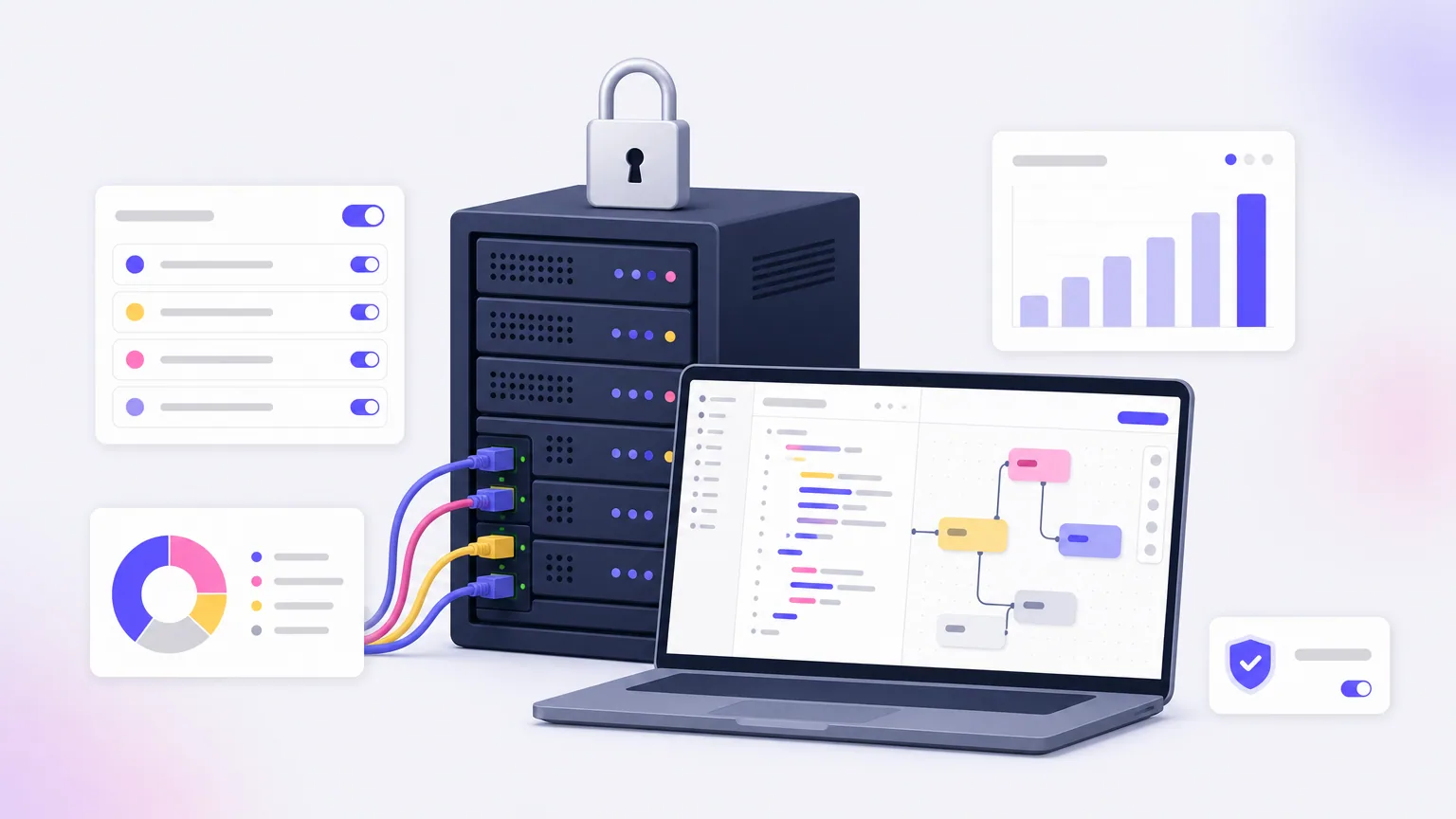
n8n charges per execution rather than per step, so long AI workflows stay predictable.
What it does and where it falls short
n8n uses a node canvas with built-in integrations and code nodes for custom logic. It has an AI workflow builder and thousands of community templates. The source is available under a fair-code license, and enterprise features include SOC 2 compliance, RBAC and secret management through AWS, GCP, Azure or Vault.
- Strength: execution-based pricing with unlimited steps
- Strength: a free self-hosted option, which no other tool here offers
- Limit: a steeper learning curve than Zapier or Lindy
- Limit: you supply your own LLM API keys, and the cloud version has a trial rather than a free plan
Who it suits
Developers, technical operations staff and automation agencies fit n8n best. A strong example is a retrieval-augmented chatbot that answers questions from documents in Google Drive. Another is a sales workflow that pulls recent news about a prospect before a call.
Beginners should look elsewhere. The flexibility pays off only once you invest the learning time.
Pricing
Self-hosting is free. Cloud Starter costs $20 a month billed annually (about $24 billed monthly) for 2,500 workflow executions. Pro lists at roughly $60 a month for 10,000 executions.
4. Make
Make is a budget-friendly visual builder for people who like to see every branch of their logic on a canvas. It is a popular workflow automation tool among indie builders and small teams.
Make is cheap to start, but every step spends credits, so count your steps before you commit.
What it does and where it falls short
Make builds automations as scenarios. It supports routers, delays, detailed data transformation and several AI model integrations. Templates and an MCP server option are included, and its Grid view maps agents, apps and workflows for larger teams.
- Strength: the lowest entry price in this list
- Strength: fine control over how data is reshaped between apps
- Limit: each step costs credits, including error handling, and AI steps can cost more than one
- Limit: some users find the interface dated, and role-based access control is limited
Who it suits
Make fits marketing operations, small teams and solo builders who need data reshaping. One example: pull new orders from a store, classify each with an AI step, write the result to a spreadsheet and send a notification.
It is a weaker fit for larger organizations that need strict governance. Plan for more setup than Zapier needs.
Pricing
The free plan gives 1,000 credits a month. Core costs $9 a month billed annually (about $10.59 billed monthly) with 10,000 credits and unlimited active scenarios. Pro lists at about $18.82 a month with priority execution, and Teams at about $34.12 a month with team roles.
5. Gumloop
Gumloop suits teams that want to describe an AI workflow in plain language and let an agent build it, rather than dragging nodes one by one. It is one of the newer AI-powered workflow automation platforms on this list.
Gumloop trades node-by-node control for speed: you state the task and it builds the flow.
What it does and where it falls short
Gumloop's built-in assistant builds and connects tools from your description. It also offers templates, a hosted MCP server and a browser extension. Models are included in the subscription, and you can bring your own API keys if you prefer.
- Strength: no separate LLM accounts to manage
- Strength: a fast route from idea to a working AI workflow
- Limit: about 100 built-in integrations, far fewer than Zapier
- Limit: variable credit use makes costs harder to predict, and the interface can feel busy at first
Who it suits
Marketing, sales and operations teams get the most value. Typical builds include scraping and categorizing leads, drafting personalized outreach and summarizing an inbox into a daily digest. These are AI-heavy jobs where the language model does the main work.
If your workflows are mostly simple app-to-app moves, a rule-based tool will be cheaper and easier to reason about.
Pricing
Gumloop starts with a 14-day free trial. Paid plans begin at about $37 a month billed monthly, or about $30 a month billed annually on the Solo plan. Usage is measured in credits, and enterprise pricing is custom.
6. Lindy
Lindy is the simplest way to set up an AI assistant for email, meetings, sales and support. It markets itself as an AI employee builder, and that is a fair description of how it feels to use.
Lindy is quick to start, but it runs out of room once your logic gets complicated.
What it does and where it falls short
You tell Lindy what the agent should do, connect your apps, then refine the result by talking to it. It has pre-built templates, AI phone calls and a HIPAA-compliant healthcare notetaker. The free plan includes 100 integrations, and paid plans reach 4,000+.
- Strength: uncomplicated setup for common business tasks
- Strength: voice agents and a template library
- Limit: no custom code fallback, and no secret management or role-based access control for enterprise
- Limit: complex tasks take trial and error, and paid plans can feel pricey for the tasks you get
Who it suits
Sales operations, customer support and solo founders fit Lindy well. A typical use is meeting follow-up emails and first-line lead replies, where the task is clear and the stakes are low.
Teams that need deterministic, auditable workflows should look at n8n or Workato instead.
Pricing
The free plan includes 400 credits a month, up to 40 tasks. Pro costs $39.99 a month billed annually (about $49.99 billed monthly) with 5,000 credits, 1,500 tasks, 30 phone calls and 4,000+ integrations. Business lists at about $199.99 a month with 20,000 credits.
7. Workato
Workato is an enterprise automation platform for IT teams that need governance, security and compliance across departments. It is not built for a five-person team that wants to start this afternoon.
Workato is built and priced for enterprise IT, so small teams pay for governance they will not use.
What it does and where it falls short
Workato connects 1,200+ apps and offers MCP support, an agent library of pre-built agents called Genies and an AI copilot for building workflows. Enterprise controls include SOC 2 Type II compliance, comprehensive RBAC, governance dashboards and uptime SLAs.
- Strength: strong security and central oversight
- Strength: cross-department use in sales, marketing, HR, IT and customer service
- Limit: it needs technical resources to set up and maintain
- Limit: it is fully proprietary, with limited inline code customization
Who it suits
Large companies with an IT team fit Workato. A classic example is employee onboarding: a new hire record triggers account creation, an equipment request and a payroll entry across separate systems, with an audit trail.
Smaller companies usually get more value from Zapier, Make or n8n at a fraction of the effort.
Pricing
Workato does not publish prices. Cost is based on a platform fee plus usage, which depends on tasks, advanced connectors and users. You need to book a demo to get a quote.
How to compare automation workflow tools
You compare automation workflow tools on four things: how the tool meters usage, how technical your builders are, what security you need and whether AI is core to the job. Everything else is secondary.
Compare the unit a tool bills in, not the headline monthly price.
What makes workflow automation AI-powered
Traditional workflow automation follows rules: if A happens, do B. An AI-powered workflow automation platform adds a language model step that can read unstructured input such as an email or a PDF, then decide what happens next. Zapier is the classic example of the rule-based type, and the AI features in every tool above sit on top of that idea.
A concrete example: an invoice arrives by email, the AI step extracts vendor and amount, the workflow writes the data to a spreadsheet and flags unusual amounts for a person to approve. Keep that human review step until you trust the output.
Pricing side by side
List prices change, so confirm them on each vendor's pricing page before you buy.
| Tool | Free option | Entry paid plan | Metered by |
|---|---|---|---|
| Arrowbin | Free 30-minute call | About $10,000 to $15,000 one-time build, first year of running costs included | Fixed estimate |
| Zapier | Free, 100 tasks/month | $19.99/mo annual, $29.99 monthly | Tasks (750 on Professional) |
| n8n | Free self-hosted, cloud trial | $20/mo annual, $24 monthly | Executions (2,500 on Starter) |
| Make | Free, 1,000 credits/month | $9/mo annual, $10.59 monthly | Credits (10,000 on Core) |
| Gumloop | 14-day trial | About $30/mo annual, $37 monthly | Credits |
| Lindy | Free, 400 credits/month | $39.99/mo annual, $49.99 monthly | Credits (5,000 on Pro) |
| Workato | None listed | Custom, demo required | Platform plus usage |
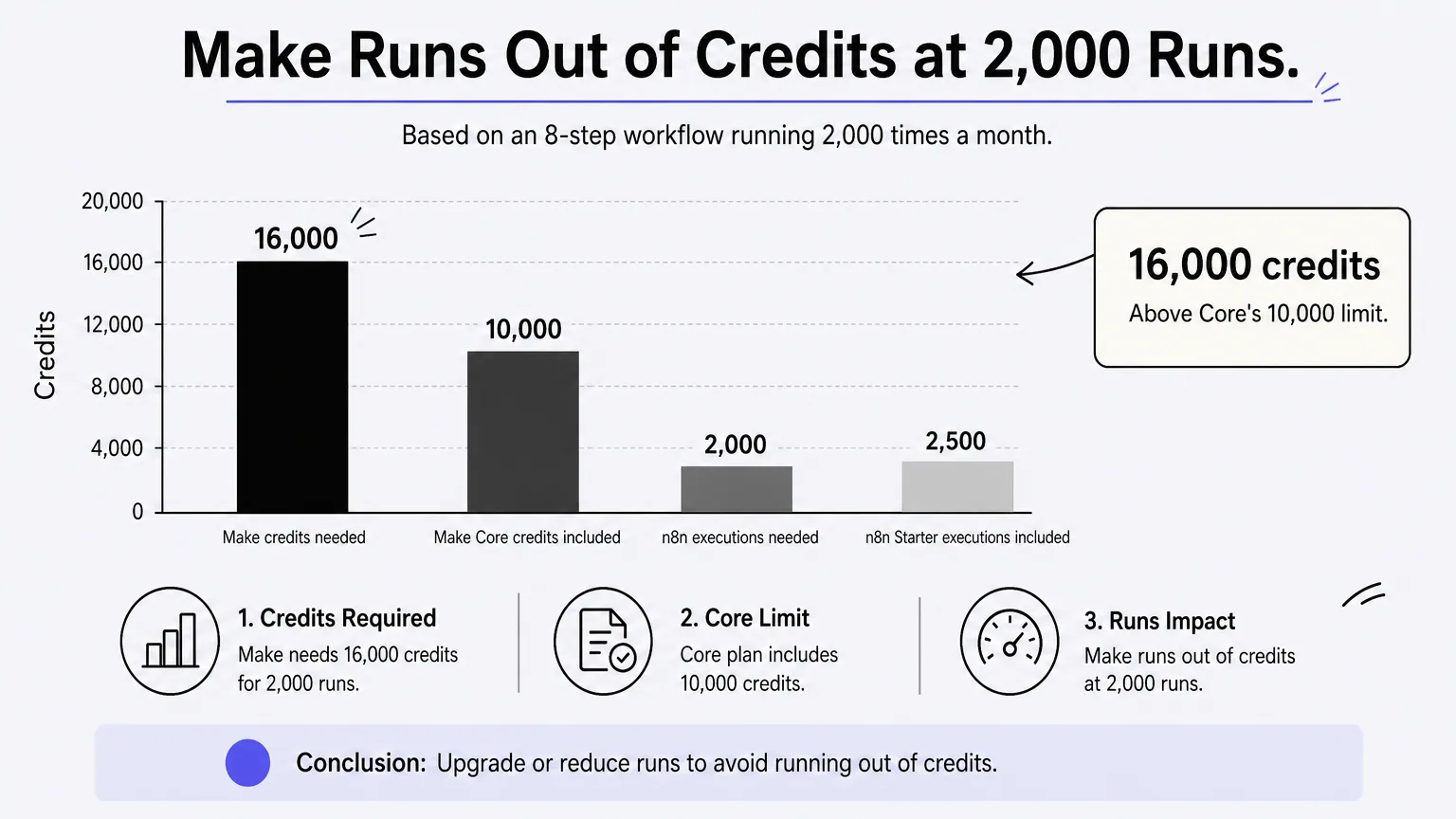
Here is why the unit matters. Take a workflow with 8 steps that runs 300 times a month. On Make, each step costs a credit, so you use 2,400 credits, well inside the 10,000 on Core. On n8n that is 300 executions against 2,500. Now scale to 2,000 runs. Make needs 16,000 credits, which is above Core's 10,000, while n8n uses 2,000 executions and still fits Starter. AI steps can cost more than one credit, so your real number may be higher.
Choosing by team type
Match the tool to who will build and maintain the workflows:
- Non-technical team, many apps: Zapier
- Simple AI assistant for email, calls or sales: Lindy
- Plain-language AI workflows: Gumloop
- Developers who want code and self-hosting: n8n
- Tight budget and visual logic: Make
- Enterprise governance and compliance: Workato
- Sensitive data, high volume or a process no platform fits: a custom build with Arrowbin
Whichever you shortlist, build one real workflow end to end before you commit. A trial run on your own data shows the metering, the error handling and the learning curve faster than any feature list.
Picking your first automation
Good automation workflow software disappears into the work. Choose it by technical fit, by the unit it bills in and by the security you need, not by the length of the integration list. Start with one repetitive process, keep a human approving the AI's output at first and expand once the results hold up.
Platforms are the fastest way in. When your logic, data or volume outgrow them, a custom build gives you code you own and costs you can plan. If that is where you are, talk to Arrowbin about a custom automation. You get a free 30-minute call, then a fixed, itemised estimate.