On this page
The best framework for cross-platform mobile app development is the one your team can already write well. React Native suits JavaScript and React teams. Flutter suits products with a heavily custom interface. Kotlin Multiplatform suits Android teams that want fully native screens on iOS. .NET MAUI suits C# shops, and Ionic suits web developers who need to ship a form-heavy or content-driven app fast. All five build iOS and Android apps from one codebase.
Cross-platform development, also called multiplatform mobile app development, replaces two separate native projects with shared code. That cuts cost and keeps both apps in step. The framework choice is hard to undo, though. Pick the wrong one and you hit hiring problems, performance walls or a missing plugin halfway through the build.
This article walks through five frameworks with the same breakdown for each: how it works, who it suits, and where it falls short. A final section shows how to choose, with a comparison table and a worked cost and timeline example. Arrowbin builds mobile apps with React Native and Flutter, so the advice comes from shipping apps, not from reading spec sheets.
1. React Native
React Native is the default choice for teams that already know JavaScript or React. You write the app in JavaScript or TypeScript, and it renders real native UI components on iOS and Android instead of a web page in a wrapper.
How it works
Meta released React Native in 2015. Your React components map to native buttons, lists and text fields, and Fast Refresh shows code changes on the device almost instantly. The Hermes engine, now the default, precompiles JavaScript to bytecode, which cuts startup time. Most teams start with Expo, a toolkit built around React Native that handles builds and common device APIs.
- Language: JavaScript or TypeScript
- Backed by: Meta, with a large open-source community
- UI approach: native components driven by React
- Known apps: Facebook, Skype, Microsoft Office
If your team already writes React, React Native is the shortest path to two store-ready apps.
Who it suits
React Native suits startups and product teams with web developers who need to reach both stores quickly. It is still relevant in 2026. It has Meta and Microsoft behind it and the biggest hiring pool of any option here.
It also fits teams that run a React web app and want to share logic, types and API code with the mobile app.
Strengths and limits
React Native's main advantage is talent availability. A JavaScript developer can contribute within days, and the library ecosystem is huge. The cost is dependence on third-party packages of uneven quality.
- Strength: shared skills and code with React web projects
- Strength: mature tooling and a large community
- Limit: heavy hardware features may need native modules in Swift or Kotlin
- Limit: version upgrades can take real effort
2. Flutter
Flutter is the strongest pick when the interface itself is the product. Google's toolkit draws every pixel itself, so your app looks identical on both platforms and animations stay smooth.
How it works
Flutter uses the Dart language and its own rendering engine instead of native components. Google released it in 2017, and it now targets mobile, web and desktop from one codebase. Everything is a widget, and hot reload applies code changes without a full restart.
- Language: Dart
- Backed by: Google
- UI approach: custom-rendered widgets, Material Design built in
- Known apps: Google Pay, eBay Motors, Alibaba
Choose Flutter when pixel-level control of the interface matters more than reusing web skills.
Who it suits
Flutter fits branded, animation-rich products: fintech dashboards, consumer apps with distinctive design, and anything where design and engineering iterate together. Your team must be willing to learn Dart, which is easy for anyone who knows Java, Kotlin or TypeScript.
It is also a good fit when you want one UI codebase across phones, tablets and a web or desktop companion.
Strengths and limits
Flutter's design consistency is a double-edged sword. The app looks the same everywhere, but it does not adopt new OS styling automatically. Dart developers are also scarcer than JavaScript developers.
- Strength: consistent UI and strong performance for animation-heavy screens
- Strength: one toolkit for mobile, web and desktop
- Limit: smaller hiring pool, since Dart is rarely used outside Flutter
- Limit: larger app size than a lean native build
3. Kotlin Multiplatform
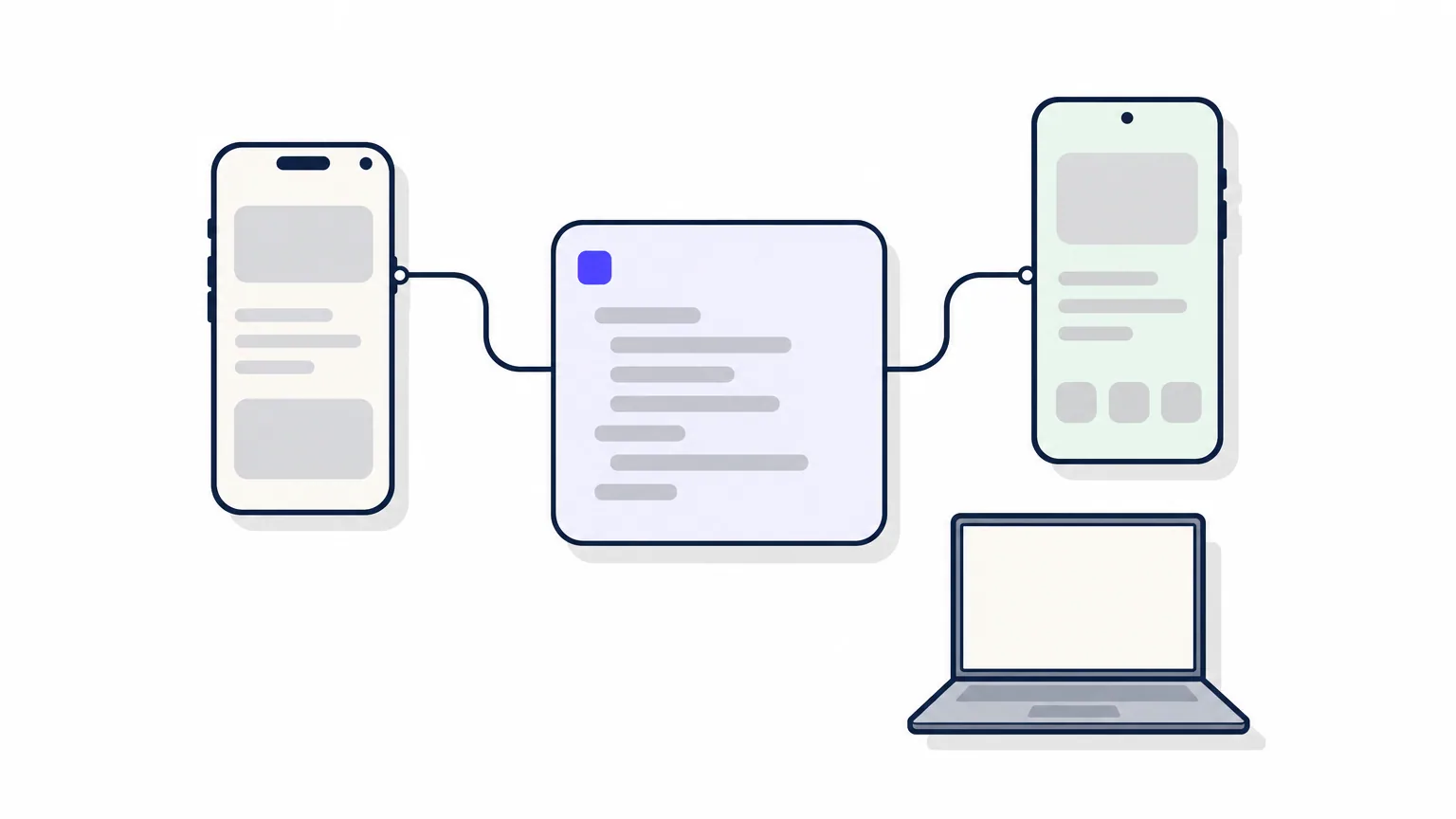
Kotlin Multiplatform is the best fit for teams that want shared logic without giving up native screens. It lets you write business logic once in Kotlin and keep the UI as native as you like.
How it works
JetBrains built Kotlin Multiplatform, and it reached Stable in November 2023. At Google I/O 2024, Google announced official support for sharing business logic between Android and iOS. You share networking, data and rules, then build screens natively in SwiftUI and Jetpack Compose. Or you use Compose Multiplatform to share the UI too.
- Language: Kotlin
- Backed by: JetBrains, with Google support
- UI approach: native screens, or shared Compose Multiplatform UI
- Known apps: Duolingo, Netflix, Cash App
Kotlin Multiplatform shares the logic and lets you decide how much of the UI to share.
Who it suits
It suits Android-first teams that already write Kotlin and want iOS without a rewrite. It also suits products where native look and feel is non-negotiable, such as banking or health apps.
You can adopt it gradually. Add a shared module to an existing app and move features over one at a time, which is far less risky than a full migration.
Strengths and limits
The biggest benefit is flexibility. You choose how much code to share, and native APIs are always one step away. The price is a younger ecosystem and a heavier skill requirement.
- Strength: no new language for Kotlin teams
- Strength: gradual adoption inside existing apps
- Limit: iOS builds still need a Mac and Xcode
- Limit: fewer ready-made libraries than React Native or Flutter
4. .NET MAUI
.NET MAUI is the natural choice for organizations built on Microsoft technology. It lets C# developers build mobile and desktop apps without learning a new language.
How it works
Microsoft released .NET MAUI in May 2022 as the evolution of Xamarin.Forms. Xamarin itself reached end of support in May 2024, so MAUI is the supported path forward. You write C# and XAML in a single project that targets Android, iOS, macOS and Windows, with Visual Studio as the main tool and .NET hot reload for quick iteration.
- Language: C# and XAML
- Backed by: Microsoft
- UI approach: native controls through one shared project
- Known apps: NBC Sports Next
If your engineers live in Visual Studio, .NET MAUI avoids a language switch and keeps one skill set.
Who it suits
MAUI suits enterprise and line-of-business apps, especially for companies with existing .NET back ends and C# developers. It is also useful when the same app must run on Windows desktops and phones.
For consumer startups without a .NET history, it rarely wins against React Native or Flutter.
Strengths and limits
MAUI's strength is integration with the .NET ecosystem: shared C# libraries, familiar tooling and Microsoft support. Its weakness is community size and momentum.
- Strength: one language from back end to mobile
- Strength: access to native device APIs through cross-platform interfaces
- Limit: newer and smaller community than the leaders
- Limit: teams migrating from Xamarin must plan the move
5. Ionic
Ionic is the fastest route to mobile for web developers. You build with HTML, CSS and JavaScript, and the app runs inside a web view packaged as a native app.
How it works
Ionic launched in 2013 and works with Angular, React or Vue. It provides a library of mobile-styled UI components. Capacitor, its native runtime, exposes device features such as the camera, GPS and file storage through plugins. Because the interface is web content, the same codebase can also ship as a web app.
- Language: HTML, CSS and JavaScript or TypeScript
- Backed by: the Ionic team, open source
- UI approach: web view with mobile UI components
- Plugins: Capacitor and Cordova
Ionic turns web skills into a mobile app, but it trades some native feel for speed.
Who it suits
Ionic fits internal tools, content apps and form-driven products where reaching users matters more than animation polish. It is a sensible first mobile project for a web team with a deadline.
It is a poor match for games, camera-heavy tools or apps that must feel indistinguishable from native.
Strengths and limits
Ionic has the lowest learning curve on this list for a web team. Performance is its ceiling, since everything renders through a web view.
- Strength: reuse of existing web code and skills
- Strength: one codebase for mobile and web
- Limit: weaker performance on complex animation and graphics
- Limit: less native feel than React Native, Flutter or Kotlin Multiplatform
How to choose a cross-platform framework
Choose by team skills first, interface needs second and platform reach third. A framework your engineers already know ships sooner, and it is easier to maintain than a theoretically better one they must learn.
Comparison at a glance
| Framework | Language | UI approach | Best fit |
|---|---|---|---|
| React Native | JavaScript, TypeScript | Native components | React and web teams |
| Flutter | Dart | Own rendering engine | Custom, animated UI |
| Kotlin Multiplatform | Kotlin | Native or Compose UI | Android-first teams |
| .NET MAUI | C#, XAML | Native controls | .NET organizations |
| Ionic | HTML, CSS, JavaScript | Web view | Web teams, internal tools |
Match the framework to your team
There is no single best language for mobile app development. JavaScript, Dart, Kotlin and C# all ship excellent apps, so choose the one your team already writes.
Cross-platform is not always the answer. Games, apps with intensive on-device machine learning and products that depend on new OS features the day they launch may justify native development for part or all of the app. Many teams use a hybrid: shared code for most screens, native code for the demanding few.
Pick the framework your team can already write, then check that it covers your hardest feature.
What a build costs and how long it takes
A polished cross-platform MVP at Arrowbin usually costs $12,000 to $40,000 and reaches the stores in 10 to 16 weeks. Price depends on features and integrations. The timeline breaks down like this:
- Scope definition: 1 to 2 weeks
- Design: 2 to 3 weeks
- Development and testing: 6 to 10 weeks
- Store review: a day to a week
Say two separate native apps would cost $40,000. A typical cross-platform saving of 30 to 40% brings that to $24,000 to $28,000, because you build and test one codebase instead of two.
Picking your framework
Match the framework to your team and your interface. React Native fits JavaScript teams, Flutter fits custom design, Kotlin Multiplatform fits Android-first teams, .NET MAUI fits C# shops, and Ionic fits web teams in a hurry. All five are production-ready, so the decision rests on skills, UI demands and how much native behavior you need.
If you want a second opinion before you commit, book a free call with Arrowbin. A senior engineer will give you a straight answer on scope, timeline and cost, followed by a fixed estimate. You own the code, the designs and the store accounts from day one.