On this page
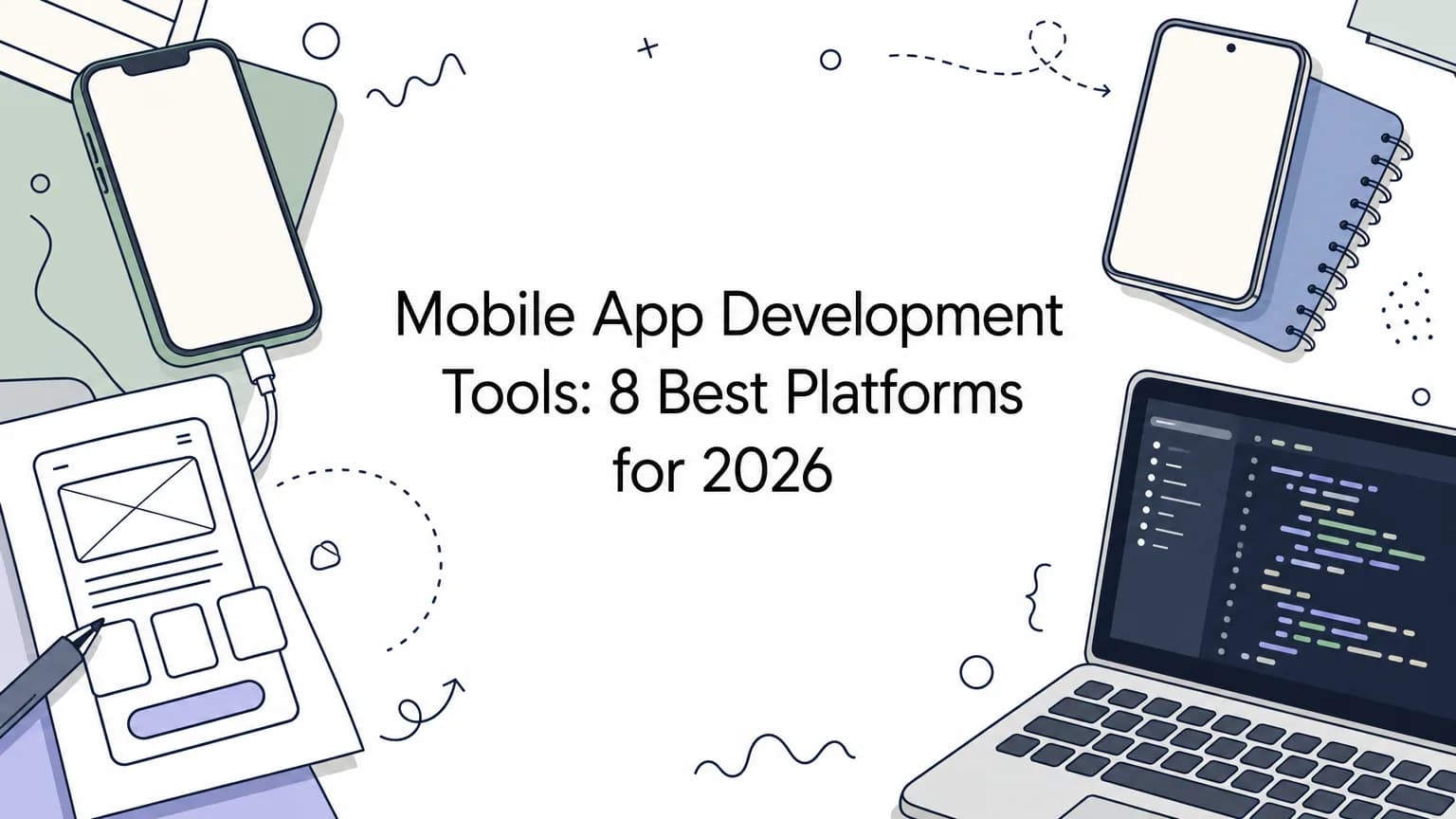
The best mobile app development apps and platforms depend on who is building. If you code, pick Flutter or React Native to ship iOS and Android from one codebase, or Xcode and Android Studio when you need full native control. If you don't code, a no-code builder like FlutterFlow, Adalo or Thunkable gets a simple app live fastest. If you want a production app without learning any of it, hire a team that builds on those same frameworks.
The hard part is not finding options. The words "tool", "platform" and "framework" describe very different things, and choosing the wrong one costs months of rework. This guide ranks eight options, shows what each one costs and where it breaks, and ends with a comparison table and a decision path.
We build iOS and Android apps for startups at Arrowbin using React Native and Flutter, so the notes below reflect how these choices play out when an app has to reach the stores.
Tools, platforms and apps: what you are choosing between
Tools for mobile app development fall into three groups: code frameworks and IDEs, no-code platforms, and done-for-you teams. Each group trades control, speed and money differently, so pick the group before you pick a product.
The three routes to a finished app
In search results, "app", "tool" and "platform" all describe software that helps you design, build, test and publish a mobile application. What matters is how much you build yourself. The three routes below cover everything on this list.
- Code frameworks and IDEs (Flutter, React Native, Xcode, Android Studio): you write code and get full control.
- No-code and low-code platforms (FlutterFlow, Adalo, Thunkable): you use a visual editor, and the platform supplies hosting or a backend.
- Done-for-you development (a studio): a team builds the app and you own the result.
Choose your route first, because the best tool in the wrong group will still be the wrong tool.
Costs every route shares
Every route ends at the same two storefronts. Apple's Developer Program costs $99 per year, and Google Play charges a one-time $25 registration fee. No tool removes those fees.
Compiling an iOS app locally also needs a Mac, whichever framework you use. Cloud build services and no-code platforms remove that requirement, which matters if you work on Windows or Linux.
1. Arrowbin for a done-for-you app
How it works
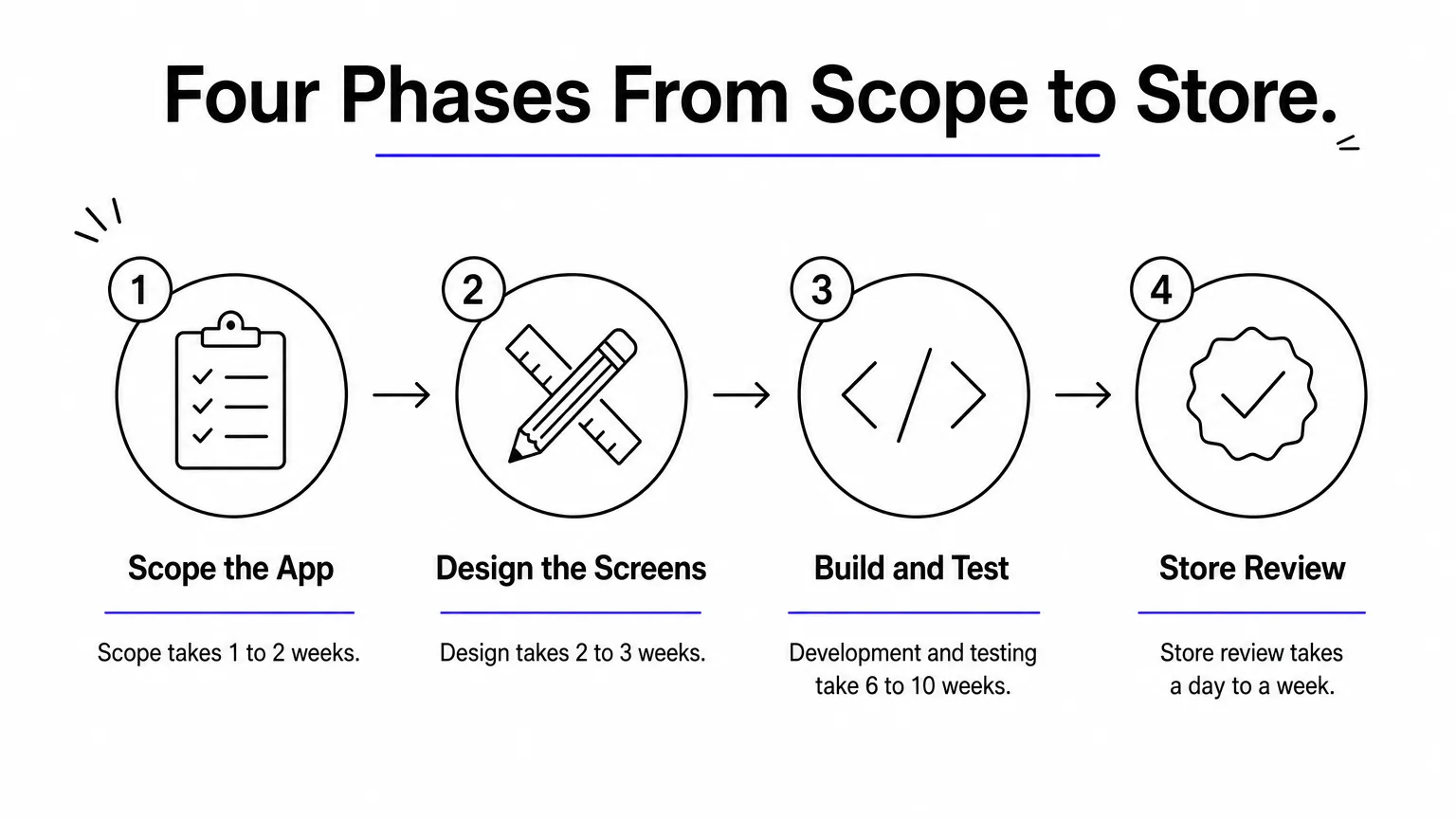
Arrowbin is a software studio, so it is a team rather than a tool. It earns first place because the best tool for some founders is not having to learn one. A senior team designs and builds your iOS and Android app from one codebase in React Native or Flutter, then handles store submission, review compliance and release.
The work runs in phases. Scope takes 1 to 2 weeks, design 2 to 3 weeks, and development and testing 6 to 10 weeks, followed by store review of a day to a week. A focused MVP reaches the stores in 10 to 16 weeks. Building both platforms from one codebase saves roughly 30 to 40% compared with two separate native apps.
Hiring a studio swaps your learning time for budget and keeps the same proven frameworks underneath.
Who it suits and what it costs
This route fits founders and business owners who have funding and a deadline but no one on the team who writes code. It also suits companies that want an app maintained long term by the people who built it.
- Cost: a polished MVP usually lands between $12,000 and $40,000, depending on features and integrations. You get a fixed estimate once the core feature set is defined.
- Ownership: the source code, the App Store and Google Play developer accounts and all app data belong to you.
- Limit: it costs far more than a DIY builder, so it is overkill for a quick prototype.
- Next step: a free 30-minute call, then a written scope and estimate.
2. Flutter
How it works
Flutter is Google's open-source UI toolkit. You write one codebase in Dart and ship to iOS, Android, web and desktop. Instead of wrapping native buttons and lists, Flutter draws every pixel itself, so your app looks identical on both platforms.
Release builds compile ahead of time to native code, which keeps animations smooth. Hot reload shows code changes in the running app almost instantly, which makes interface work fast. Ready-made widget sets cover Material Design for Android and Cupertino styling for iOS.
Flutter is the strongest choice when a distinctive, custom interface matters more than reusing web skills.
Who it suits and what it costs
Flutter suits developers and teams who want pixel-level control of the design and are willing to learn Dart. Founders who plan to hire developers also choose it, because a single codebase keeps the team small.
- Cost: free and open source, plus the $99 Apple fee and $25 Google fee to publish.
- Skill needed: programming. Dart is rarely used outside Flutter, so it is a new language for most web developers.
- Watch out for: a Mac is required for local iOS builds, and apps can come out larger than fully native ones.
3. React Native
How it works
React Native, built by Meta, lets you build iOS and Android apps with JavaScript or TypeScript and React. Your components render as real native interface elements, not web views, so the app feels native to each platform.
Most teams pair it with Expo, a framework and set of services that simplify project setup, device testing, cloud builds and over-the-air updates. Because the model is the same as React on the web, a web developer can become productive in days. That makes the hiring pool large.
React Native is the fastest path to mobile for a team that already knows React.
Who it suits and what it costs
It suits startups with web developers, products that need a website and an app sharing logic, and teams that want to hire from the biggest pool of JavaScript talent.
- Cost: the framework is free and open source. Expo offers a free tier for its build service and paid plans for higher volume.
- Skill needed: JavaScript or TypeScript, ideally React.
- Watch out for: some features need custom native modules in Swift or Kotlin, and major version upgrades take planning.
4. Xcode
How it works
Xcode is Apple's official IDE and the only tool with first-day access to every new Apple feature. You write in Swift, usually with SwiftUI, and get live interface previews, a simulator for each Apple device and the Instruments profiler for memory and energy problems.
Distribution runs through App Store Connect and TestFlight, which lets you send beta builds to testers before launch. Xcode runs only on macOS.
If your app lives only on Apple devices, Xcode gives you more depth than any cross-platform layer.
Who it suits and what it costs
Xcode suits developers building iPhone and iPad apps, or apps that lean on Apple hardware such as widgets, health data or augmented reality.
- Cost: free to download. The $99 yearly Apple Developer Program is needed to publish.
- Skill needed: Swift programming. Expect a steep first few months.
- Watch out for: it targets Apple platforms only, and you cannot run it on Windows or Linux. Android needs a second codebase.
5. Android Studio
How it works
Android Studio is Google's official IDE for Android, built on the IntelliJ engine. You write Kotlin and build interfaces with Jetpack Compose, Android's modern declarative toolkit. The built-in emulator lets you test many device sizes and OS versions without owning the hardware.
It also provides profilers for CPU, memory and network use, plus the Gradle build system for dependencies. Flutter and React Native both rely on its Android SDK, so you will probably install it even if you pick a cross-platform framework.
Android Studio is the best free starting point for Android alone, and a required companion for most cross-platform work.
Who it suits and what it costs
It suits Android-only products, developers in markets where Android dominates, and anyone who needs deep access to Android system features.
- Cost: free on Windows, macOS and Linux. Google Play adds a one-time $25 fee.
- Skill needed: Kotlin programming and some Gradle knowledge.
- Watch out for: it is memory hungry, so plan for at least 8 GB of RAM and 16 GB for comfort. It covers Android only.
6. FlutterFlow
How it works
FlutterFlow is a visual builder on top of Flutter. You drag components onto a canvas, wire up logic and connect to a backend such as Firebase or Supabase or to your own APIs. It produces real Flutter code instead of a locked, proprietary format.
On paid plans you can export that code, hand it to developers and keep building outside the platform. That exit path addresses the biggest fear with no-code tools: being trapped.
FlutterFlow is the no-code option that lets you leave without starting over.
Who it suits and what it costs
It suits founders who can tolerate a learning curve and want to prototype quickly, plus small teams who may bring in a developer later.
- Cost: a free tier lets you build. Paid plans start at roughly $30 to $40 per month, and team features are priced per seat.
- Skill needed: no code for basics, but state management and custom functions reward programming knowledge.
- Watch out for: there is no built-in database, so you set up and pay for a backend. Exported code can be harder to maintain than hand-written Flutter.
7. Adalo
How it works
Adalo is a no-code builder for database-driven apps. You design screens visually, define data such as users, listings and bookings in a built-in database, and publish native iOS and Android versions plus a web version from one project. An AI builder can generate a starting app from a description.
Because the database and publishing live in the platform, a non-technical founder can go from idea to a store listing without wiring separate services together.
Adalo trades flexibility for the shortest path from a data-driven idea to the app stores.
Who it suits and what it costs
It suits founders building directories, booking tools, simple marketplaces and membership apps without a developer.
- Cost: a free plan lets you build and test. Publishing to the stores needs a paid plan, which starts in the $30s per month on annual billing.
- Skill needed: none for typical apps.
- Watch out for: heavy custom logic and unusual integrations strain the editor, the plugin library is smaller than larger rivals, and full code export is not part of entry plans.
8. Thunkable
How it works
Thunkable is a cross-platform builder that uses drag-and-drop blocks for logic, in the style of Scratch or MIT App Inventor. You snap blocks together instead of writing code, and a live test app on your phone shows changes as you build.
One project outputs to iOS, Android and web. The model is easy to grasp, which is why schools use it to teach app building.
Thunkable is the gentlest on-ramp, and best treated as a way to learn or validate an idea.
Who it suits and what it costs
It suits students, educators and first-time builders who want a working utility app or prototype quickly.
- Cost: a free plan with limits on projects and screens. Publishing to the stores needs a paid plan, which starts in the $30s per month for a single app. Higher tiers cost much more.
- Skill needed: none beyond logical thinking.
- Watch out for: usage limits and a less capable builder for large production apps, and a smaller ecosystem than the code frameworks.
How to choose the right platform for your app
Choose by skill, budget and the platforms you must reach, in that order. The table and the decision path below turn the eight options into one pick.
Side-by-side comparison
The table lines up the type, skill level and starting cost of each option so you can eliminate half of them in a minute.
| Option | Type | Skill needed | Platforms | Cost to start |
|---|---|---|---|---|
| Arrowbin | Done-for-you studio | None | iOS and Android | $12,000 to $40,000 for an MVP |
| Flutter | Code framework | Dart programming | iOS, Android, web, desktop | Free |
| React Native | Code framework | JavaScript or TypeScript | iOS and Android | Free |
| Xcode | Native IDE | Swift programming | Apple devices | Free, plus $99 per year |
| Android Studio | Native IDE | Kotlin programming | Android | Free, plus $25 once |
| FlutterFlow | Visual builder | Low | iOS, Android, web | Free to build, paid from about $30 to $40 per month |
| Adalo | No-code builder | None | iOS, Android, web | Free to build, paid from the $30s per month |
| Thunkable | Block-based builder | None | iOS, Android, web | Free to build, paid from the $30s per month |
Pick by skill, budget and platform
Work down this list and stop at the first line that describes you.
- No code, small budget, simple app: start with Thunkable or Adalo.
- No code, but you want a way out later: use FlutterFlow and export the code when you outgrow it.
- Developer with web skills: choose React Native.
- Developer who cares about custom design: choose Flutter.
- One platform only, or deep device features: use Xcode for iOS or Android Studio for Android.
- Funding, a deadline and no technical team: hire a studio and keep ownership of the code.
What the first year costs
Store fees are the same for everyone, so the real difference is the build cost. This example assumes an illustrative no-code plan at $40 per month.
| Route | Build cost | Store fees, year one | Year-one total |
|---|---|---|---|
| Code it yourself with Flutter or React Native | $0 | $124 | $124 plus your time |
| No-code builder at $40 per month | $480 | $124 | $604 |
| Studio-built MVP | $12,000 to $40,000 | $124 | $12,124 to $40,124 |
The $124 is Apple's $99 plus Google's $25. From year two, Apple's $99 repeats and Google's fee does not. Your time is the hidden cost of the first two rows, so a founder who values a launch within weeks often finds the third row cheaper than it looks.
The cheapest route in cash is usually the most expensive in your own hours.
Pick the tool that matches your skills
Start with the route, not the product. Code frameworks give you control, no-code platforms give you speed, and a studio gives you a finished app without the learning curve. Flutter and React Native cover most cross-platform needs, Xcode and Android Studio cover native ones, and FlutterFlow, Adalo and Thunkable cover builders who do not code.
Whatever you choose, budget $99 per year for Apple and $25 once for Google, and test on real devices before you launch. Build a small prototype in your top two choices before you commit, since a day of hands-on use tells you more than any comparison.
If you would rather hand the build to a senior team, book a free 30-minute call with Arrowbin and get a scope, timeline and fixed estimate for your app.